
Step 1: Download and install the mobile app Okta Verify from either App Store or Google Play. This is required because we are using Multi-Factor Authentication. For Android users in China, please contact your local IT engineer if you have not installed the mobile app.
Step 2: Note that you need to complete the previous step before proceeding with this step. You must also do this on your computer, and NOT on your mobile phone. . Follow the given instruction after clicking the link, or use the attached instructions for help if needed.
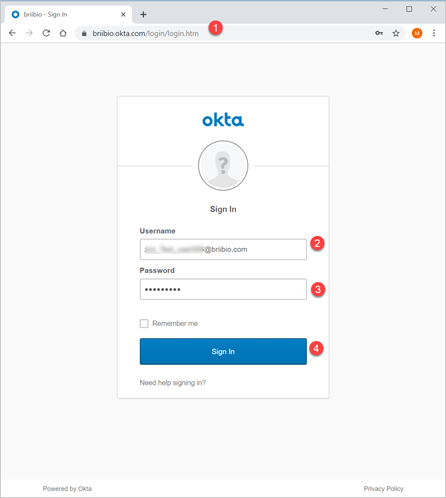
a) On your computer browser, go to https://briibio.okta.com. Enter your username and password given to you in the Welcome Email. Then click Sign In.
b) First click Setup for Okta Verify.

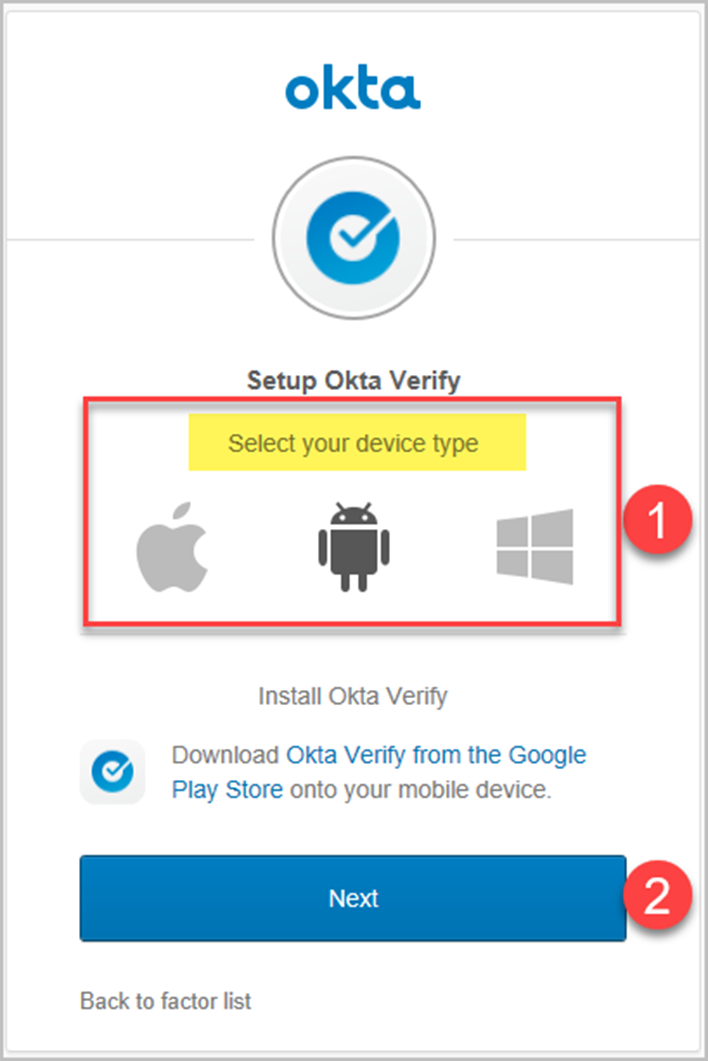
c) Select your mobile device type, and click Next.
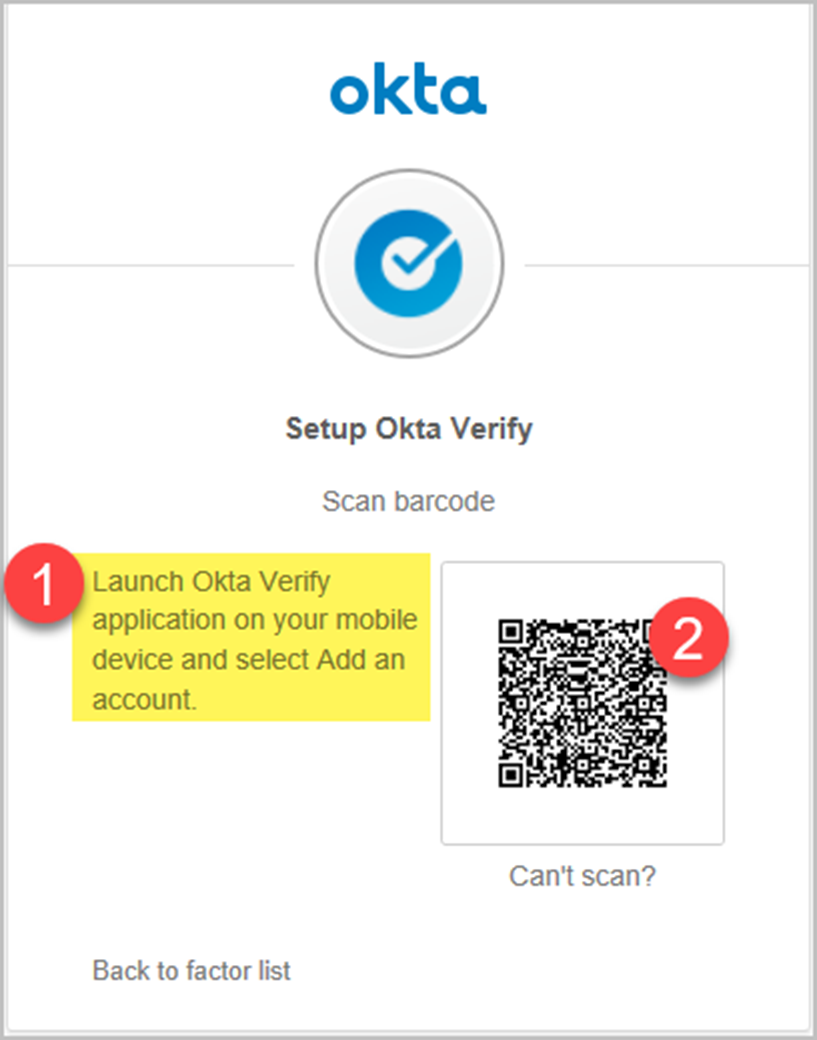
d) Go to your mobile phone, then launch the Okta Verify app. Select add an account and scan the barcode displayed on your computer.
Comments
0 comments
Please sign in to leave a comment.